

Widget
The widget puts a feedback button on your site. Visitors describe what happened, attach an annotated screenshot, and the report lands as an issue. How you answer them: Feedback.
Install
Section titled “Install”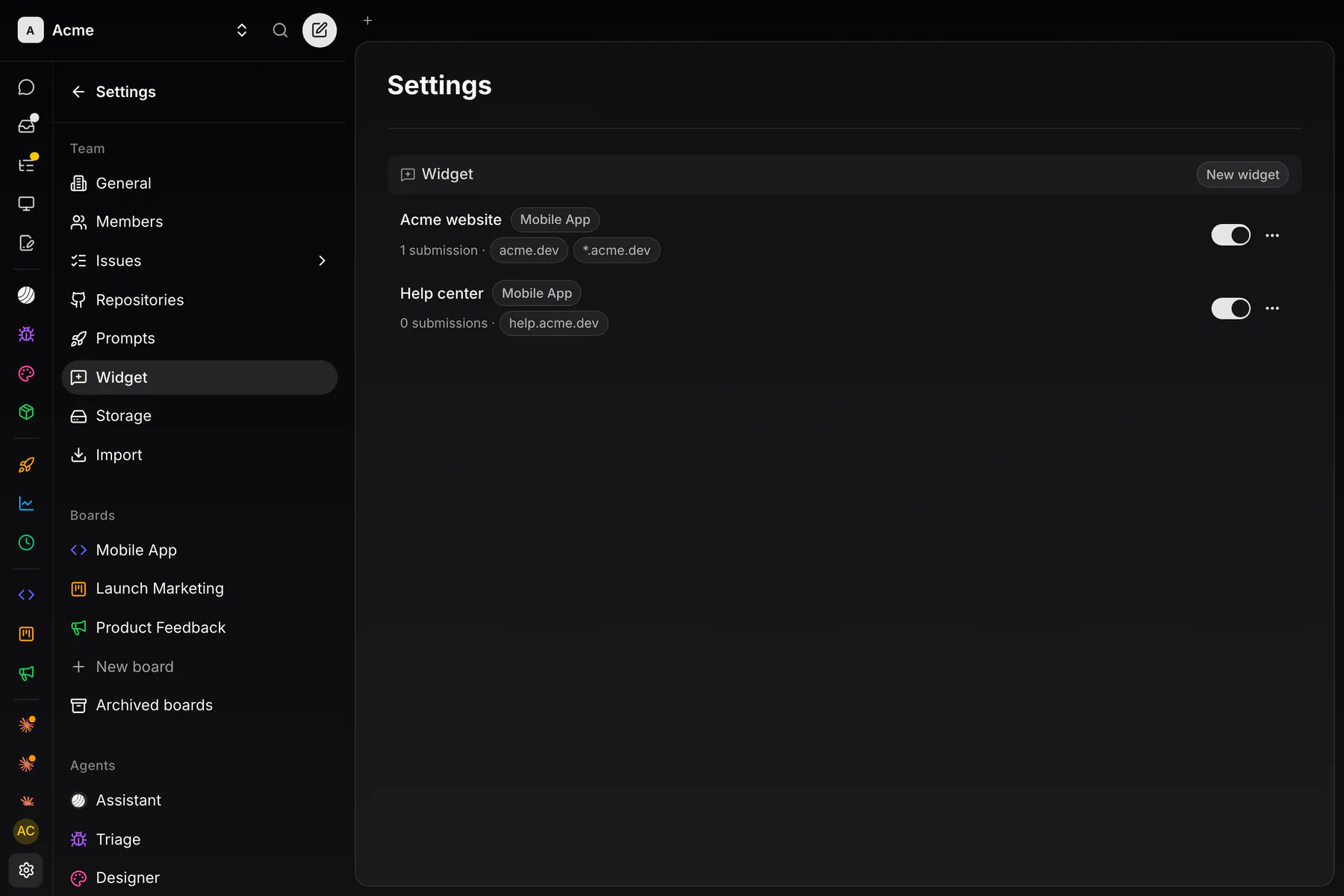
-
In Settings → Widget, an owner creates one with New widget: its Board, its Allowed domains and its look. Each widget gets a public
expw_key and an on/off switch. -
Copy the snippet from the row’s menu → Embed snippet and paste it before
</head>:<script>(function (w, d, u) {if (w.ExponentialWidget) return;var q = [], api = { q: q };["init","identify","setCustomData","setTheme","setLocale","setLauncherHidden","open","close","submit"].forEach(function (m) {api[m] = function () { q.push([m, [].slice.call(arguments)]); };});w.ExponentialWidget = api;var s = d.createElement("script");s.async = true; s.src = u;d.head.appendChild(s);})(window, document, "https://app.exponential.at/widget/v1/loader.js");ExponentialWidget.init({ key: "expw_YOUR_KEY" });</script>
The script loads lazily and replays any call made before it arrived. The key is public like an analytics ID: the domain list and rate limits gate submissions. Every visitor IP gets 20 reports at once, then 2 a minute. A key takes 60 an hour on cloud Free teams and on self-hosted servers; the cloud Team plan has no hourly cap.
Form and look
Section titled “Form and look”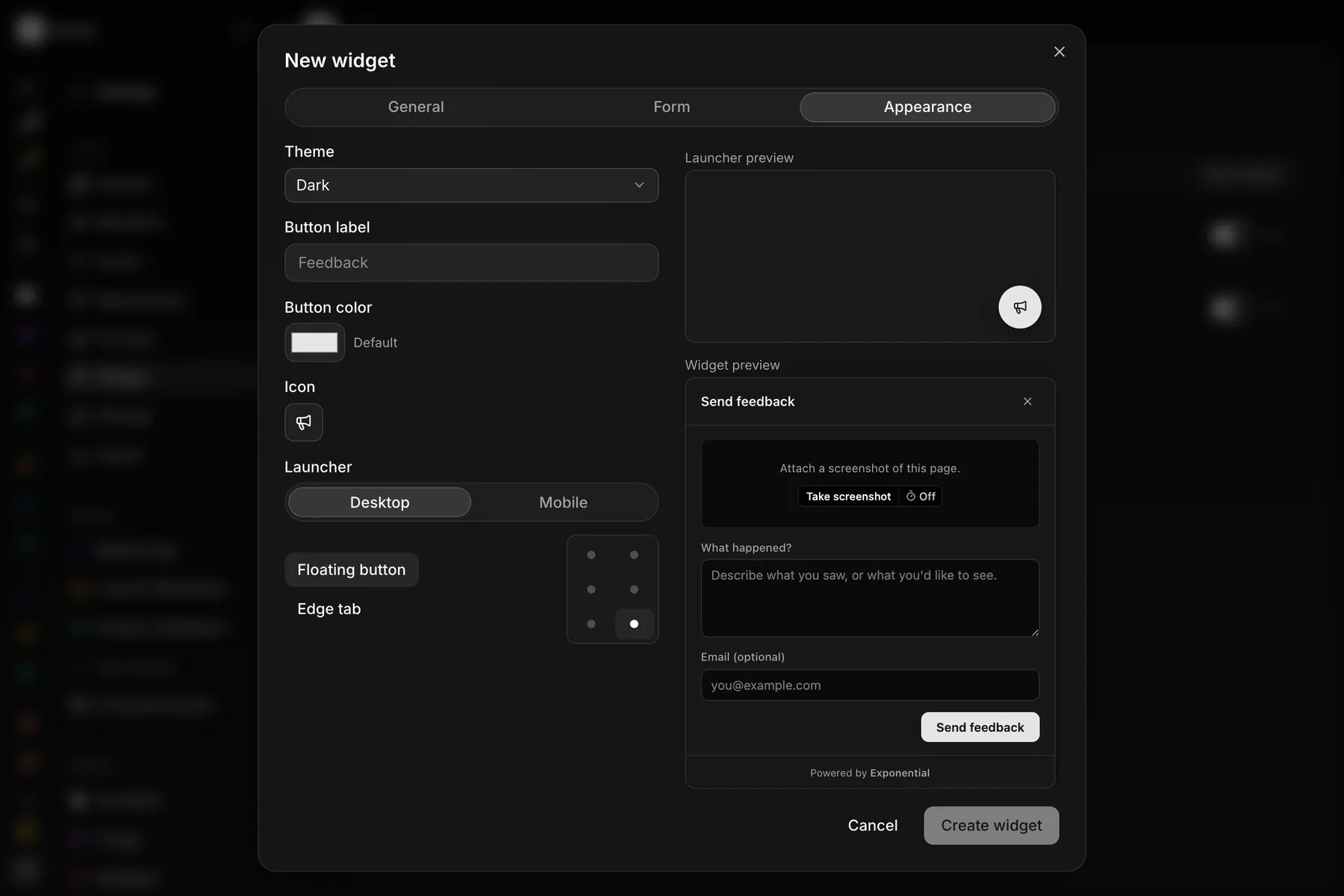
The form asks What happened?; its first line becomes the issue title. The editor’s General, Form and Appearance tabs, previewed live, set:
- Email: optional by default, or required, or hidden. With an email the reporter gets a private link to the conversation.
- Name: hidden by default.
- Custom fields: up to 8 text inputs, each optionally required.
- Labels: up to 10 team labels the reporter can pick.
- Theme (dark, light or the visitor’s system), Button color, Icon and Button label.
- Launcher: a Floating button or an Edge tab in one of six positions, set separately for desktop and mobile.
Screenshots
Section titled “Screenshots”Take screenshot grabs one frame through the browser’s screen sharing on desktop, so canvas, video and iframes come out right; on mobile it takes a local page snapshot. A delay of 3 or 5 seconds lets the visitor open a menu first. The visitor can crop and draw rectangles, arrows and free lines, and attach up to 3 more pictures (10 MB each). Capture runs in the browser, and a failed capture still sends the report.
JS API
Section titled “JS API”ExponentialWidget.init({ key: "expw_YOUR_KEY", launcher: { // overrides the configured launcher desktop: { mode: "fab", position: "bottom-right" }, mobile: { mode: "tab", position: "middle-right" }, }, color: "#7c5cff", label: "Feedback", // "" = icon only showButton: true, // false = headless theme: "auto", // "dark" | "light" | "auto" host: "https://issues.example.com", // self-hosted API on another origin});ExponentialWidget.identify({ email: "ada@example.com", name: "Ada", userId: "usr_123" });ExponentialWidget.setCustomData({ plan: "business", version: "1.42.0" });ExponentialWidget.setTheme("light");ExponentialWidget.setLocale("de"); // "en" | "de" | "auto"ExponentialWidget.setLauncherHidden(true); // hide the button, keep the panelExponentialWidget.open();ExponentialWidget.close();identify() skips the email and name fields. setCustomData() rides on every report.
Headless
Section titled “Headless”Boot without the button and send from your own form:
ExponentialWidget.init({ key: "expw_YOUR_KEY", showButton: false });
const result = await ExponentialWidget.submit({  message: "The upload spinner runs forever.",  title: "Upload never finishes",   // default: the message's first line  email: "ada@example.com",  customData: { page: "checkout" },  screenshot: myBlob,               // PNG, JPEG or WebP  images: [pictureBlob],            // up to 3  labels: ["<label-id>"],});// { ok: true, identifier: "EXP-42", url, emailDelivered } or { ok: false, error, code }
submit() never throws. Server validation and rate limits apply as for the panel.
What lands
Section titled “What lands”Each report becomes one issue on the widget’s board: the message as its description, the reporter’s labels, the screenshot and pictures embedded, and a block with the reporter’s email, the page URL, browser, viewport and custom data. A reporter with an email is told when the issue is resolved.