

Your voice
How it works
Section titled “How it works”eTalk speaks in a voice cloned from one short clip, in English and in German. Cloning needs no training and no upload. The clip stays on your voice device; Settings → Assistant → Voice stores only its path and its transcript.
Leave the Voice file empty and each language uses its built-in clip. Cloning, like all speech out, runs only on a GPU.
For an agent: the same guide as a skill file.
Consent first
Section titled “Consent first”Use your own voice, or a voice whose owner agreed. Do not clone anyone without consent.
Pick the take
Section titled “Pick the take”- 8 to 15 seconds of one speaker, speaking calmly in the language you picked.
- Clean speech: no music, no background noise.
Cut it to a WAV
Section titled “Cut it to a WAV”With ffmpeg (start and length in seconds):
mkdir -p ~/voiceffmpeg -ss 12.5 -t 10 -i recording.m4a -ac 1 -ar 24000 -c:a pcm_s16le ~/voice/ref.wav- Mono, 24 kHz, 16-bit PCM, like the built-in clips.
- Listen to it once, all the way through.
Write the transcript
Section titled “Write the transcript”Type exactly what the clip says, word for word, with normal punctuation.
Enter it
Section titled “Enter it”In Settings → Assistant → Voice, with your desktop as the voice device:
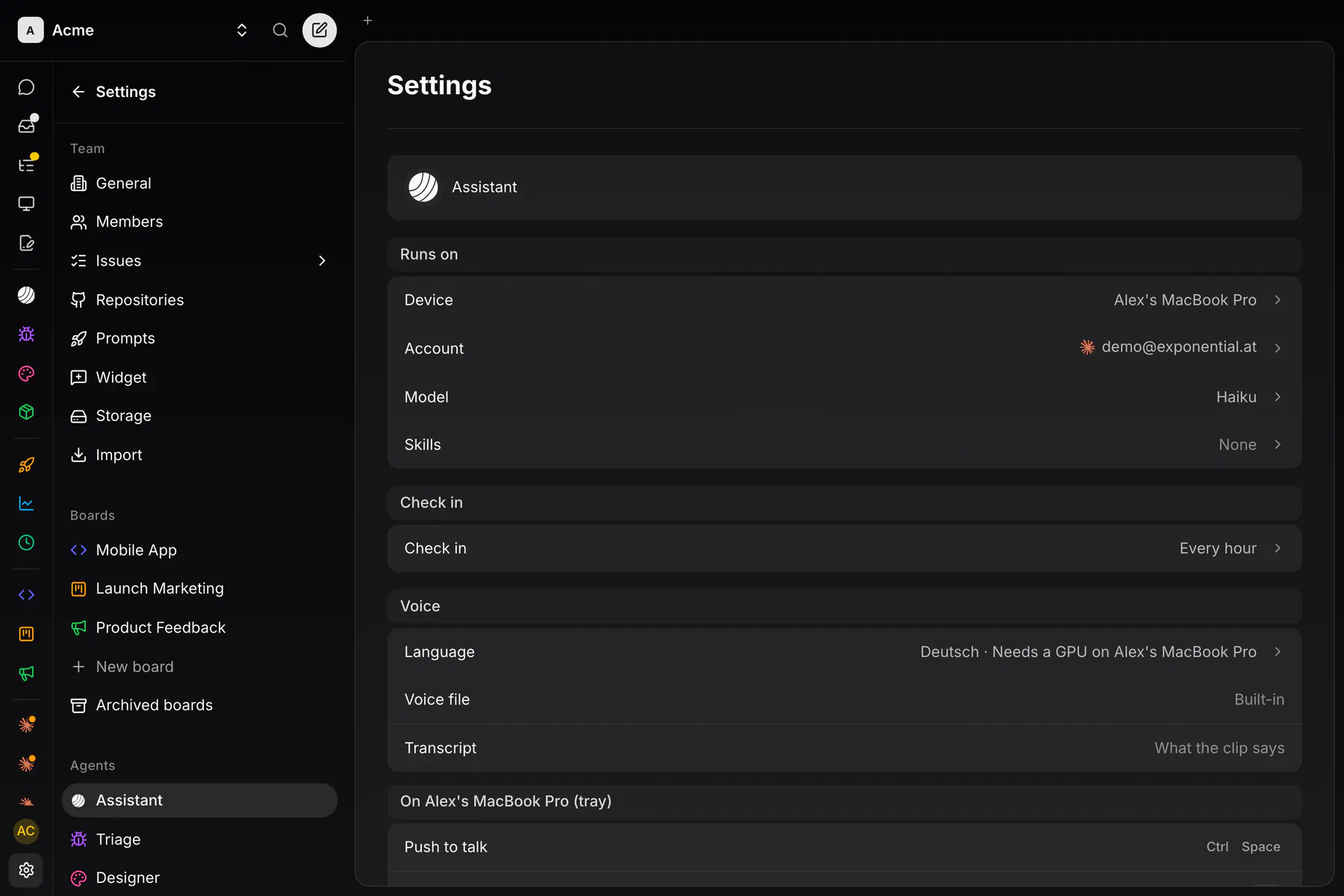
| Row | Value |
|---|---|
| Language | English or Deutsch |
| Voice file | the WAV’s full path on that desktop, e.g. /home/you/voice/ref.wav |
| Transcript | the text from the step before |