

Sessions
A session is Claude Code or Codex working on your own machine and agent subscription. The desktop app and the CLI daemon run sessions; every client watches and steers them, end-to-end encrypted. Set up a machine with the Quick start.
Start a session
Section titled “Start a session”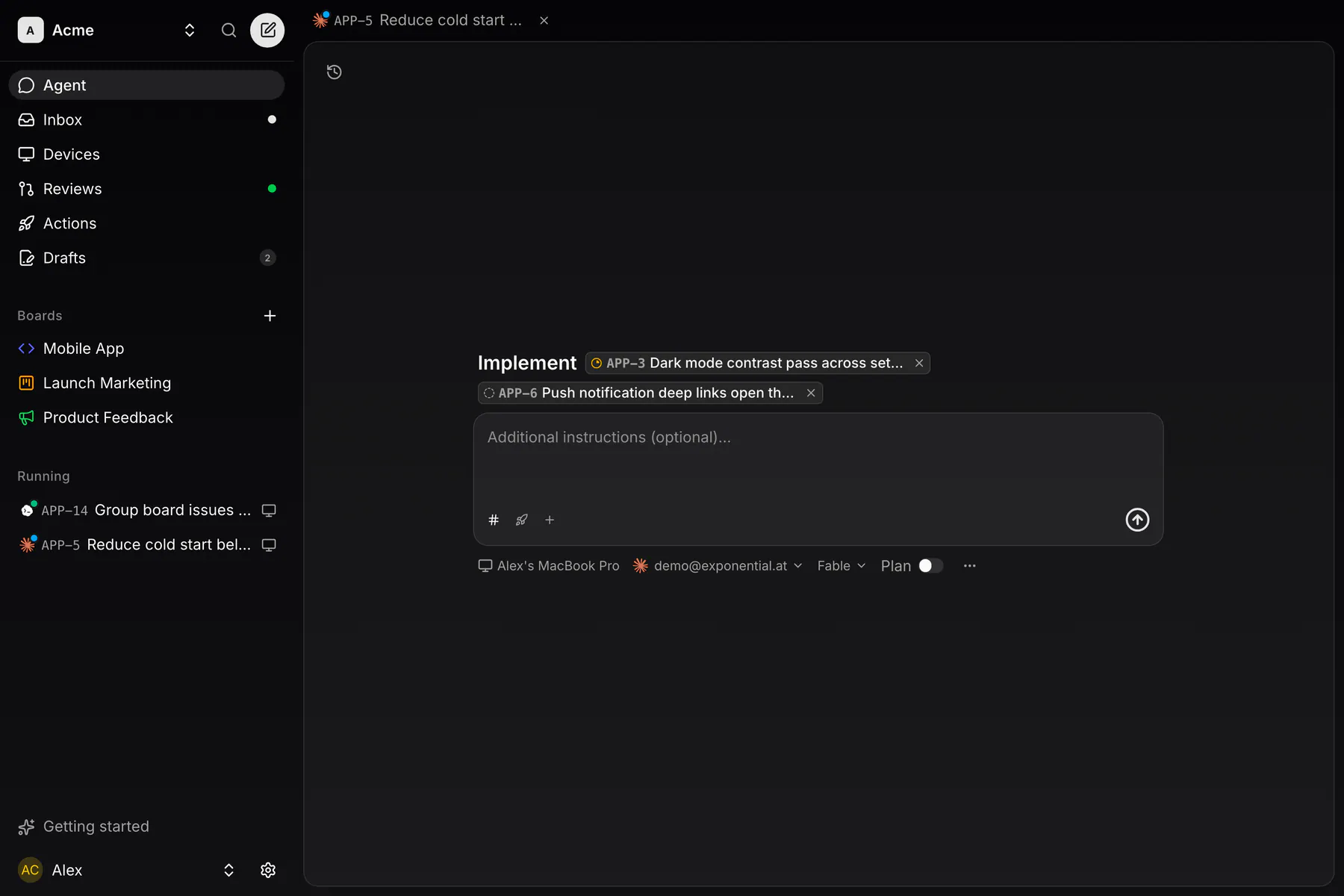
Start on an issue, or Start coding on a board selection, opens the composer with the issues chipped. The row of circles above it picks who gets the send: your Assistant, a team agent, or Temporary session, a plain session on those issues. With nothing chipped, a temporary session is a free request that works in a repository you pick, or in a scratch directory.
The + menu holds the rest: issues, prompts, files, the Device, the Account (a Claude or Codex login, which picks the agent), Model, Repository, Effort, Ultracode, MCP servers, Skills and Computer use.
The session works in its own git worktree on a fresh branch and opens the pull request itself.
Several issues at once
Section titled “Several issues at once”Chip two or more issues (up to 30) and you get one chat on one branch, ending in one PR linked to every issue. Merging it completes them all.
The agent may start child sessions for parallel parts; a child’s PR stacks on its parent’s and Merge stack lands them together.
Watch and steer
Section titled “Watch and steer”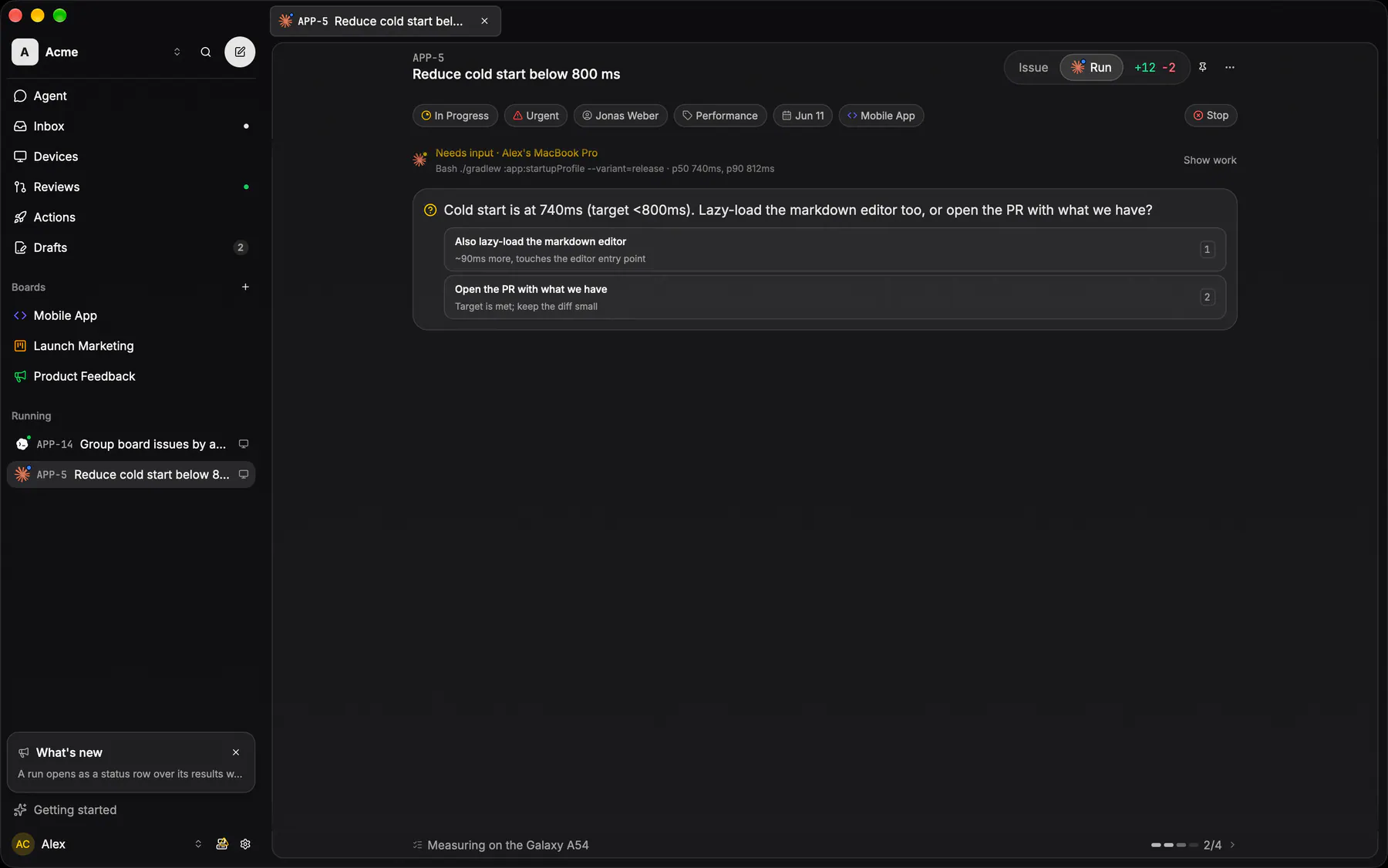
Every start is a chat. Its strip of tabs holds Conversation, a chip per linked issue and one per child session. The work reads as the agent’s narration and one line per tool call.
Whatever waits on you floats above the composer: a question, a plan, the task list, a usage limit with Switch account. Answer with the numbered options or by typing.
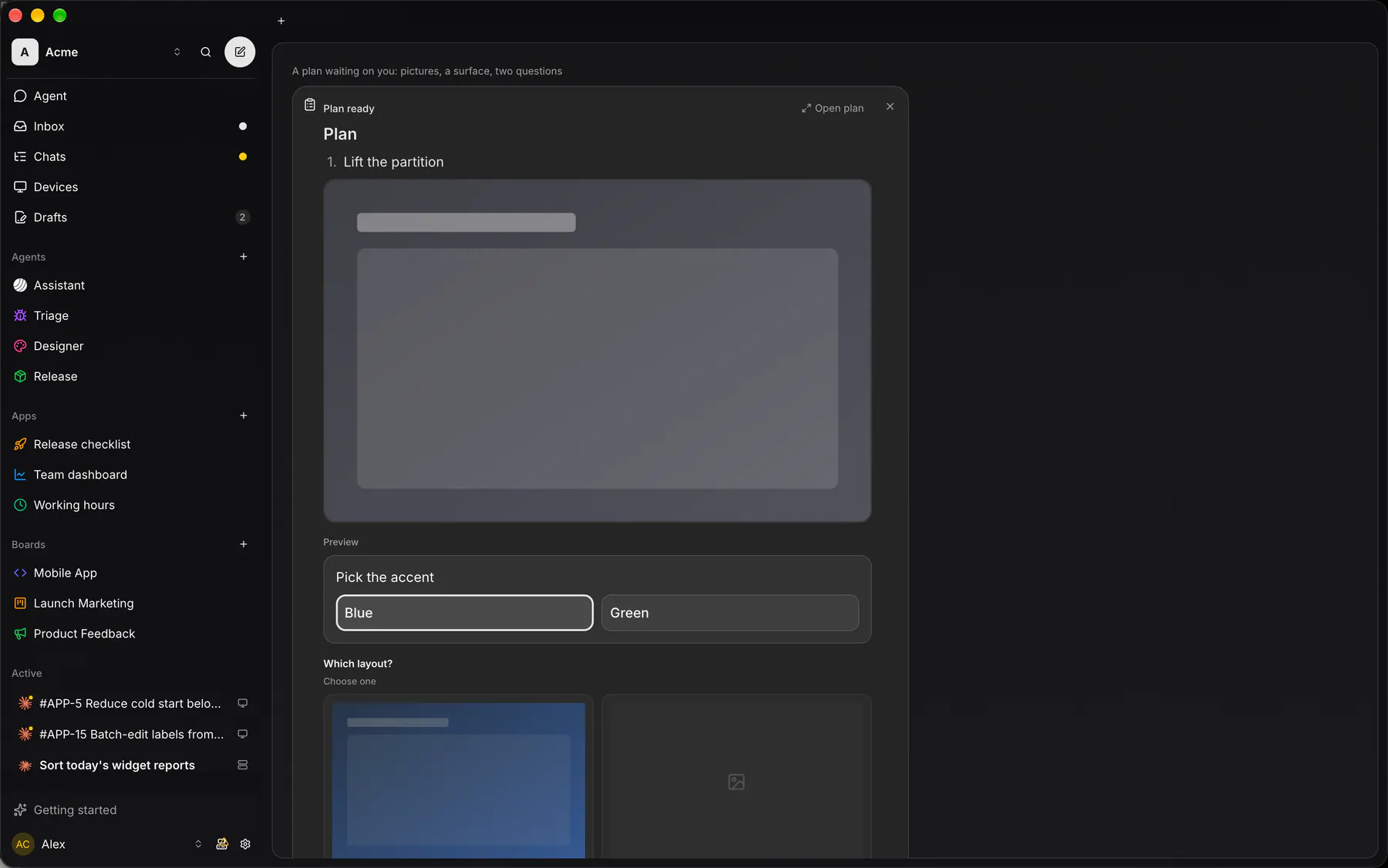
A plan arrives as a card with pictures, questions and sometimes a live preview: Yes, or No, keep planning. Open plan shows it full screen.
The composer’s stop button interrupts the turn; Stop in the header ends the chat. Writing to an ended chat revives it. A session can move to another of your machines, and an offline machine’s sessions pause until it is back.
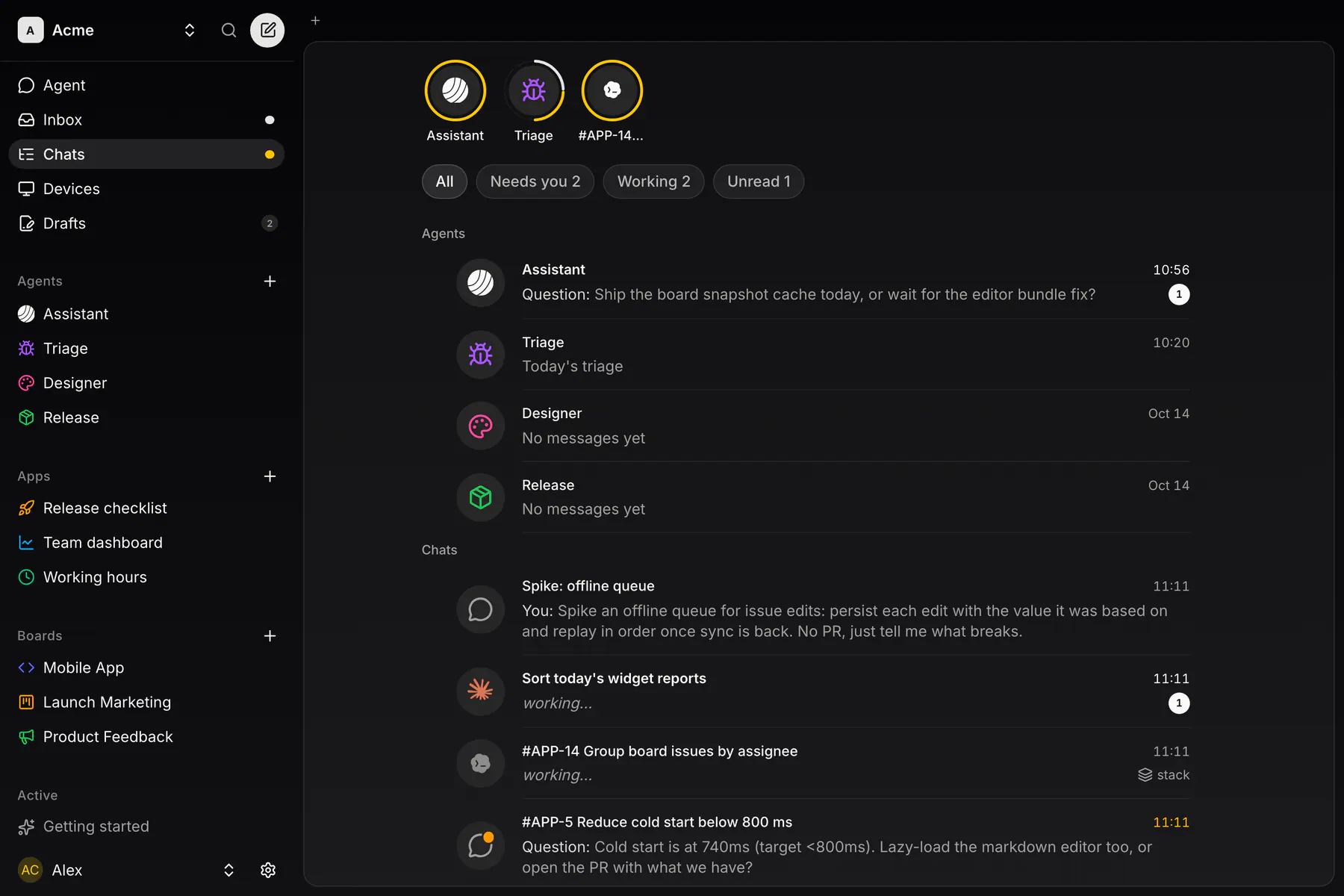
Chats lists the team’s chats under the agents’ bubbles, filtered by All, Needs you, Working and Unread. Right-click or long-press a row to stop, archive or delete it.
Review and merge
Section titled “Review and merge”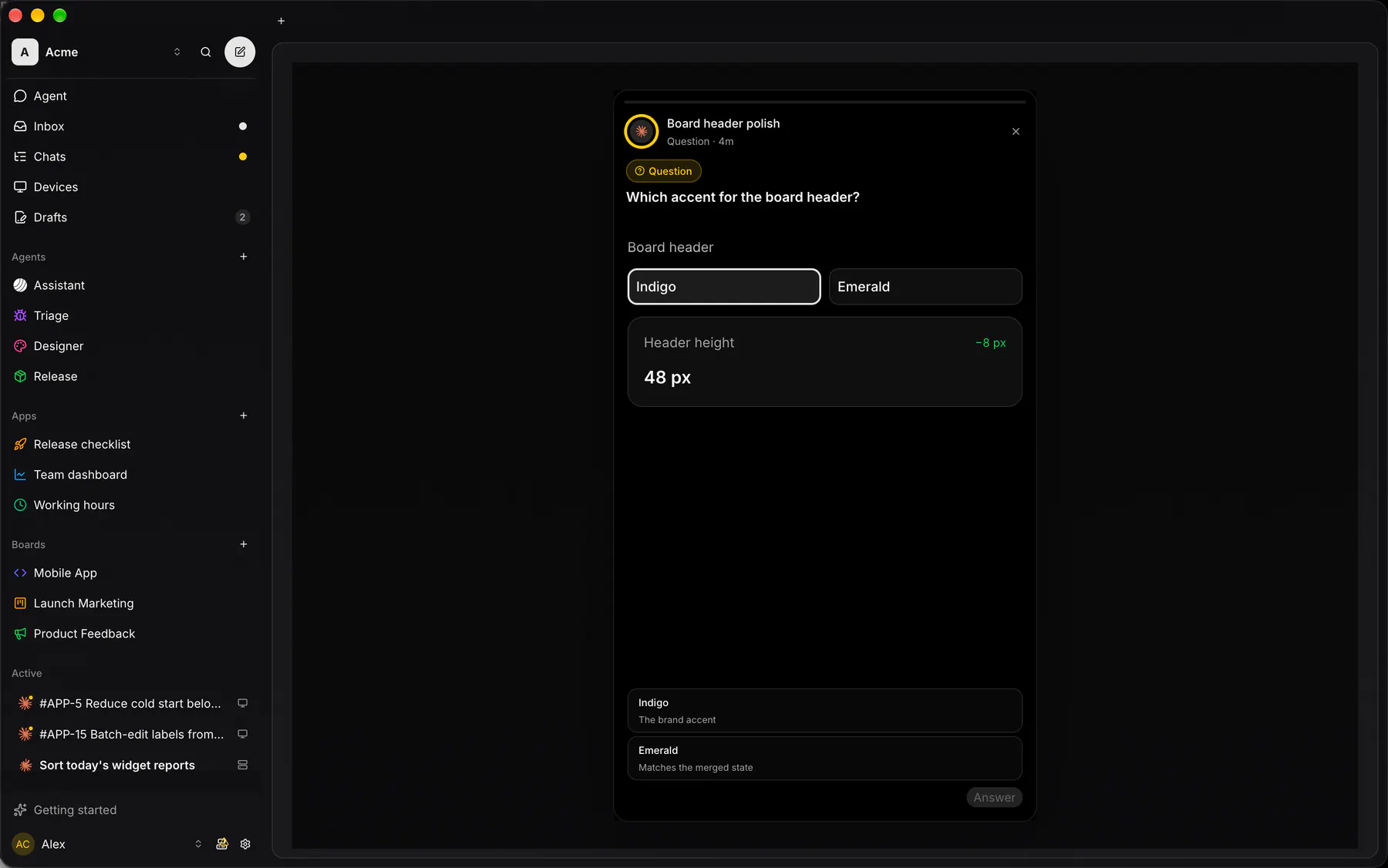
What the agent wants you to see lands as stories: results with screenshots, questions and plans, in rings on top of Chats and in each chat’s Stories tab. The PR body is written from them.
The chat header carries Merge PR with the CI state. A refused merge goes back to the session to fix. With Yolo mode on in Settings → General, PRs merge by themselves once their sessions are idle. Merging on GitHub works the same.
Agents and triggers
Section titled “Agents and triggers”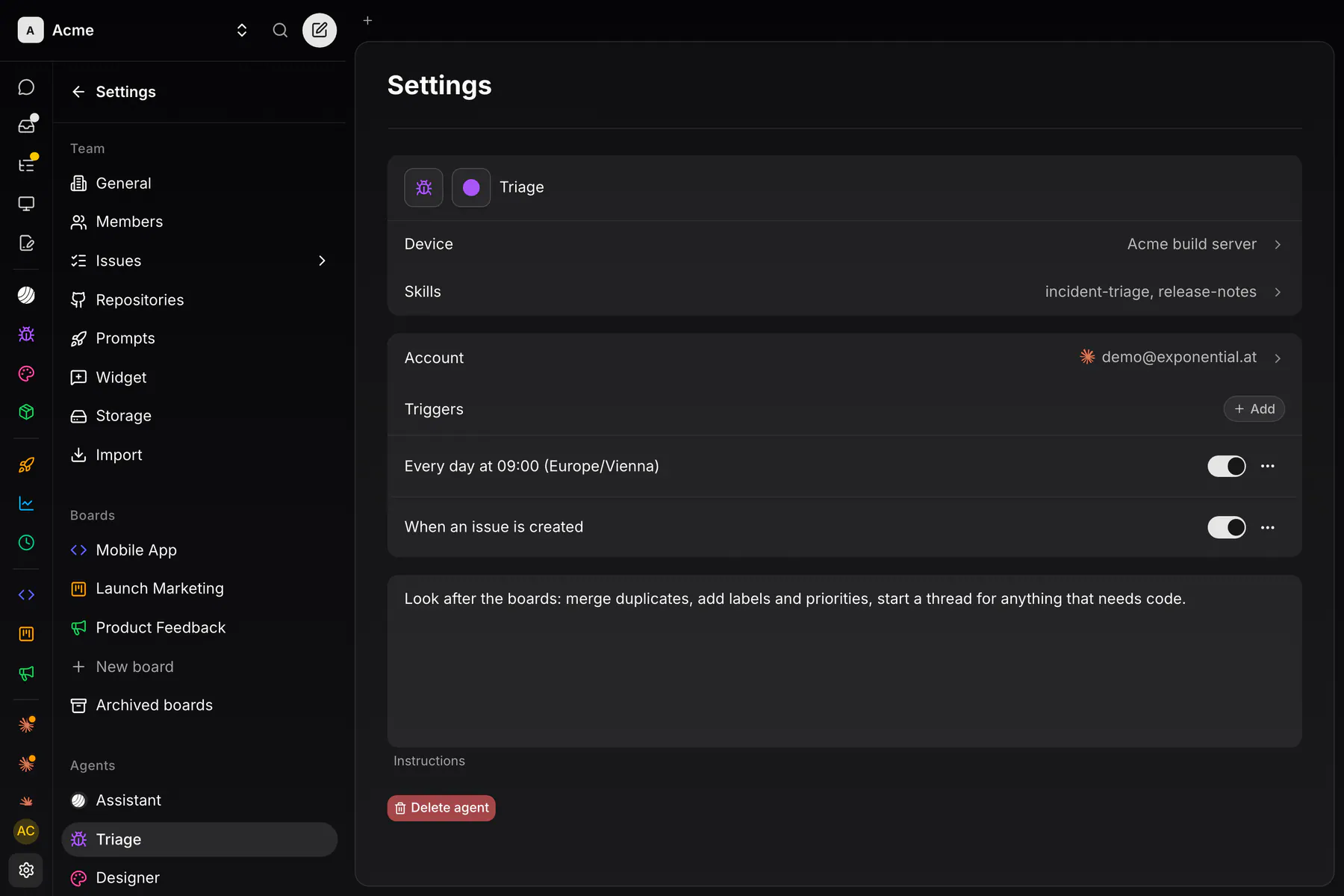
An agent is a definition under Settings → Agents: name and icon, the Device and Account it runs on, Skills, Triggers and Instructions. Owners create them; each member gets a private conversation with every agent. An agent answers small things itself, starts chats for real work and can be assigned issues.
Add on the Triggers row opens New trigger:
- Schedule: every few minutes, hourly, daily, weekly or monthly, in a time zone.
- On event: an issue created, assigned or changing status, a pull request opening or merging, a session ending, or a custom event a session emits over MCP.
A firing arrives as a message in the agent’s conversation.
Devices and accounts
Section titled “Devices and accounts”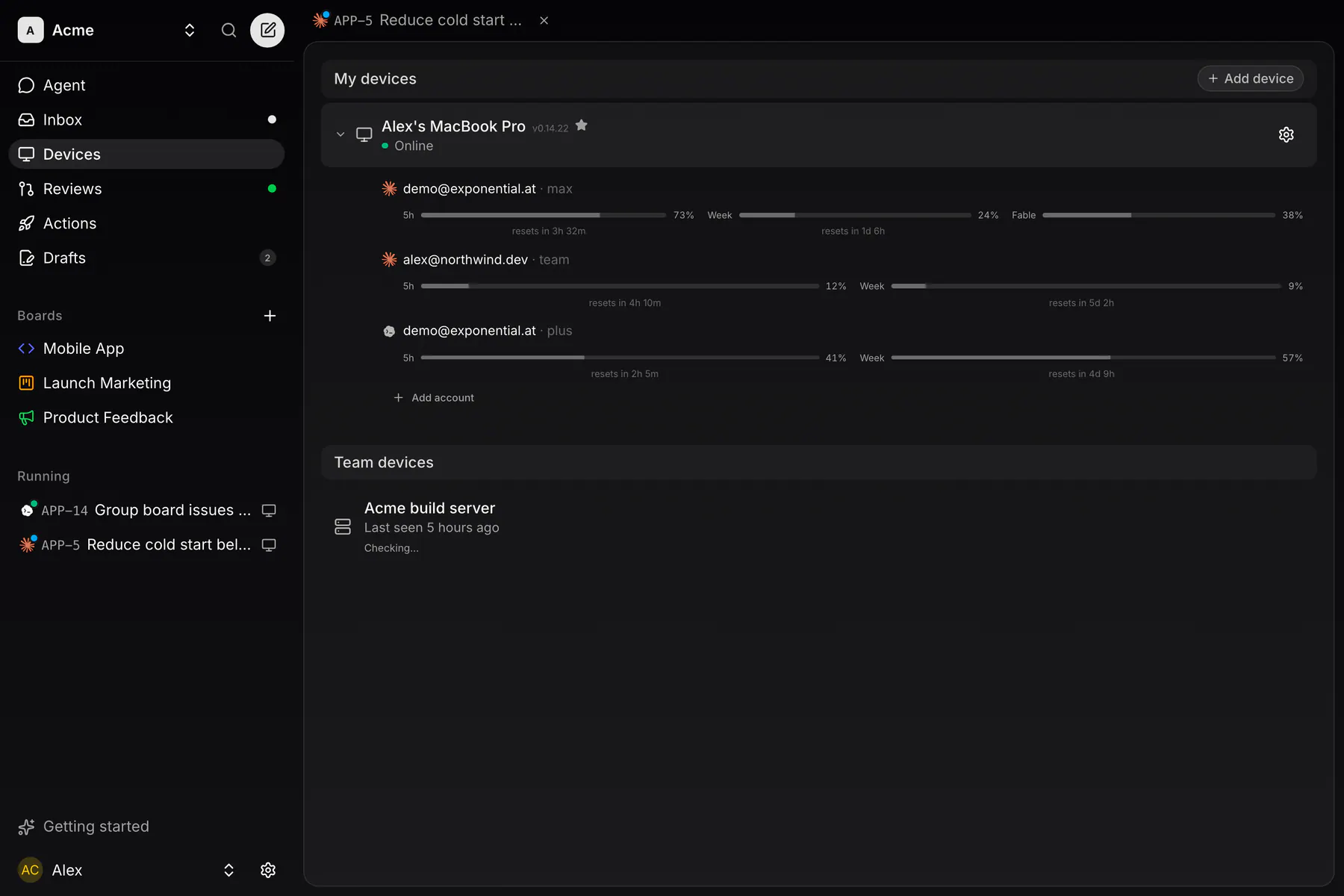
Devices shows each machine with its Claude and Codex logins and their remaining usage. Sign logins in or out there, from any client. With Auto-rotate accounts on (the default, per device), a Claude session starts on the login with the most room and moves to another one at a usage limit.
The desktop app
Section titled “The desktop app”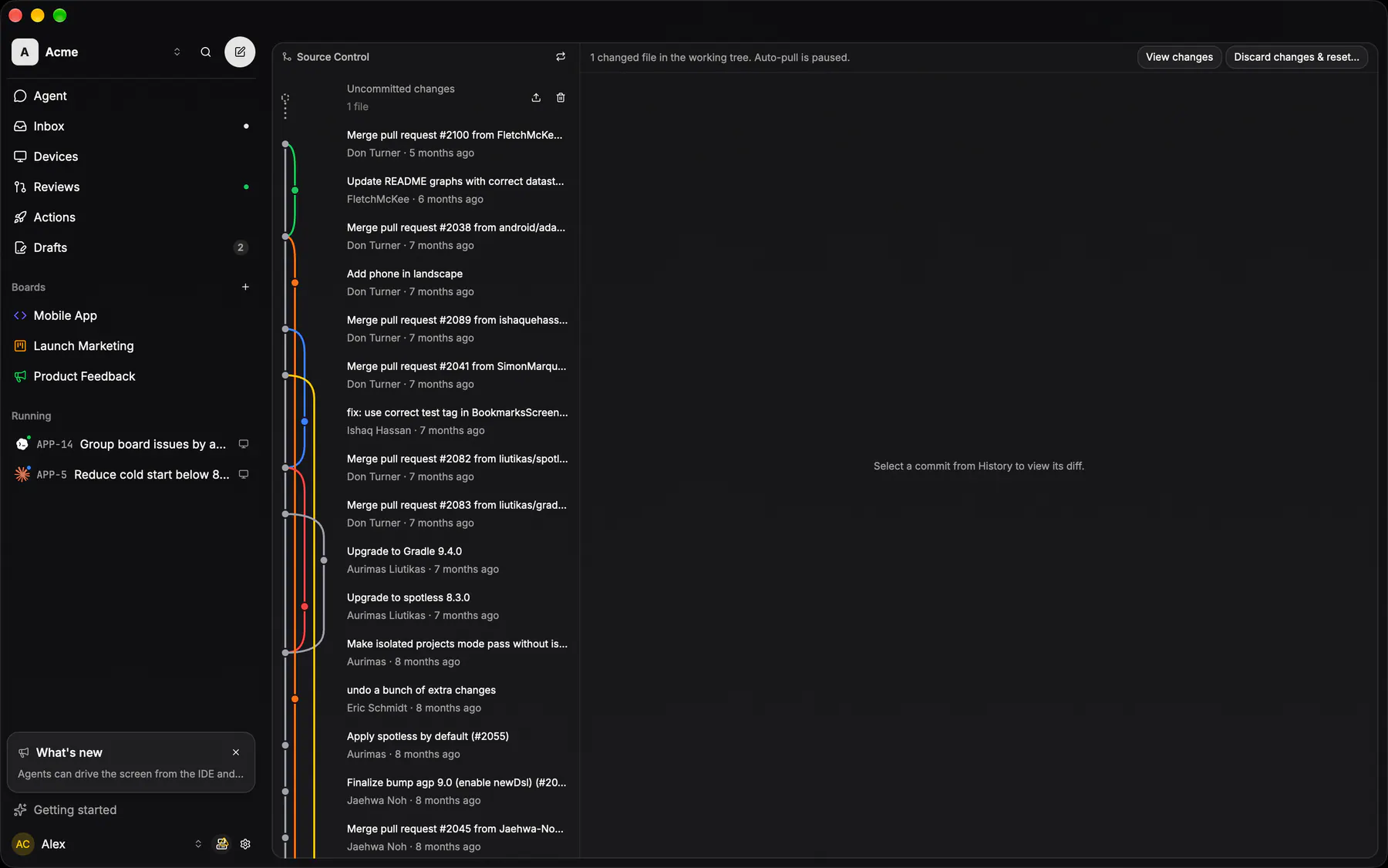
The sidebar matches the web app, and issues and chats open as tabs. The computer button beside your account opens this machine’s Terminal, Files and Source Control. Opening a board clones its repository; Source Control draws the commit graph and diffs, and Files browses any session’s worktree.