How it works
The desktop app is the client that runs coding sessions. When you start one, it hands the issue to your agent running locally: Claude Code or Codex, on your machine, your checkout, your own agent subscription. Nothing executes in a cloud sandbox, and your code never routes through Exponential's servers.
The server's role is deliberately small:
- It mints short-lived, repo-scoped GitHub tokens through the team's GitHub App connection, so the run can push without any long-lived credential on disk.
- It opens and links pull requests when the agent calls the built-in MCP tool, then tracks the PR through to merge and completes the issue.
Because the agent is local, coding is unmetered: no plan gates it, on any tier.
Setup
- Install the desktop app from the download page (macOS, Windows, or Linux).
- Have
gitplus whichever agent CLIs you use on yourPATH(claude,codex), each signed in to its own account. The app checks both but only requires the one you pick for the run. That's the entire dependency list: nogh, no tokens to paste. - Sign in to
app.exponential.ator your self-hosted URL. - Open a repo-backed board. The IDE clones the repository automatically. (Connect a repo in Team settings → Repositories if you haven't. See Getting started.)
Under the hood, the launcher wires a scoped MCP config into the run carrying a personal API key. That's how the agent drives Exponential itself: updating issue status, posting comments, and opening the PR, all as tools.
Agent accounts and usage
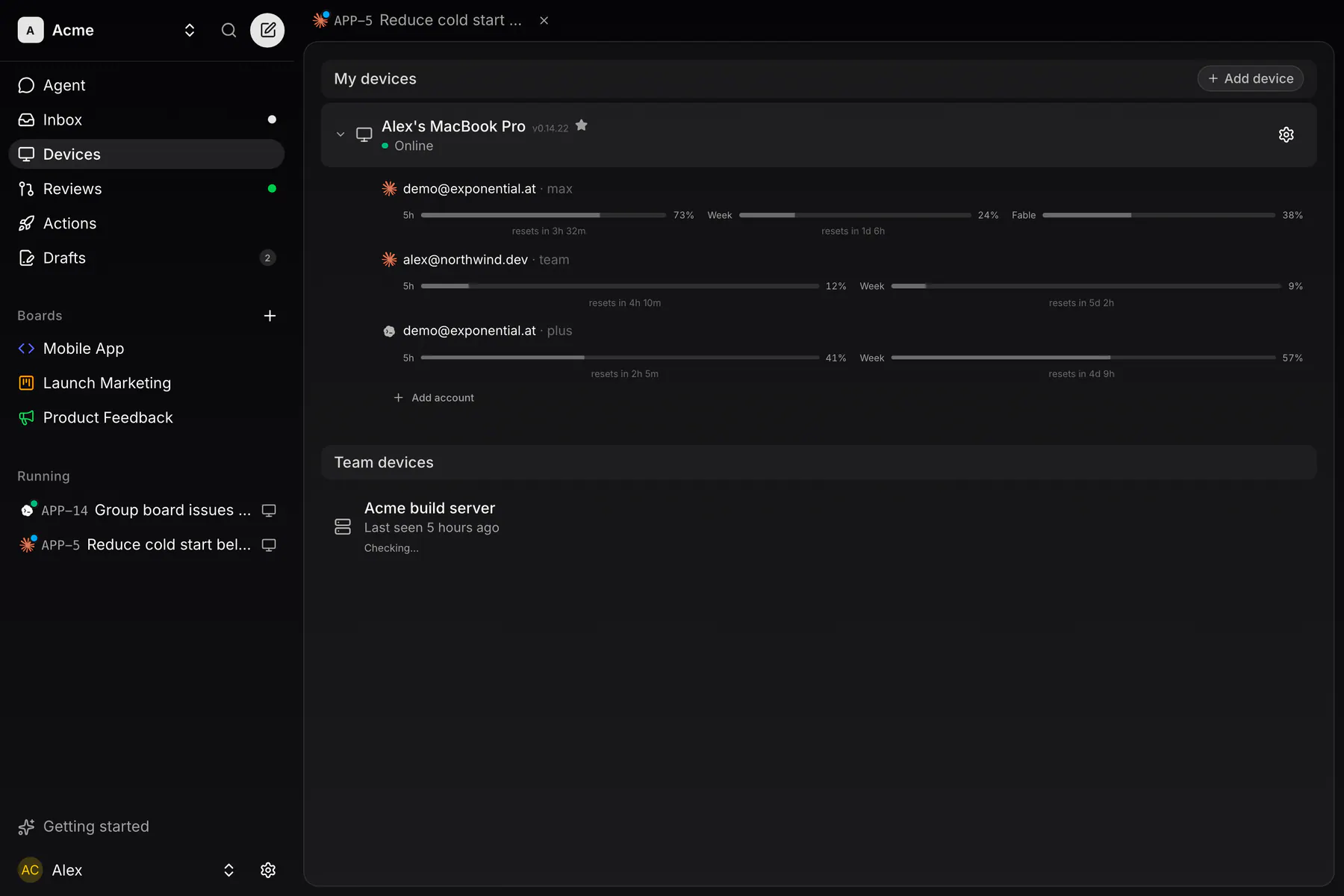
Each machine reports, read-only, which account every installed agent CLI is signed in to and how much of its rate-limit window is spent — never the credential itself. A machine can hold more than one Claude or Codex login, and a run picks the Account it uses.
You see it in two places. The Devices page lists each machine with the logins it holds underneath it — which account, whether it still works, and what is left of each window; repairing one (a Login or Switch account pill) happens right there, on the login's own row. And mid-run the context ring beside the composer opens the same usage overlay — the same one, on every client, phones included.
A signed-out agent on a remote machine can be signed in from any client: the machine runs the agent's own login flow, its link and code come back as an ordinary answerable card, and you type the code straight into the client you are already in — so a headless server never needs a browser or a keyboard.
Start coding
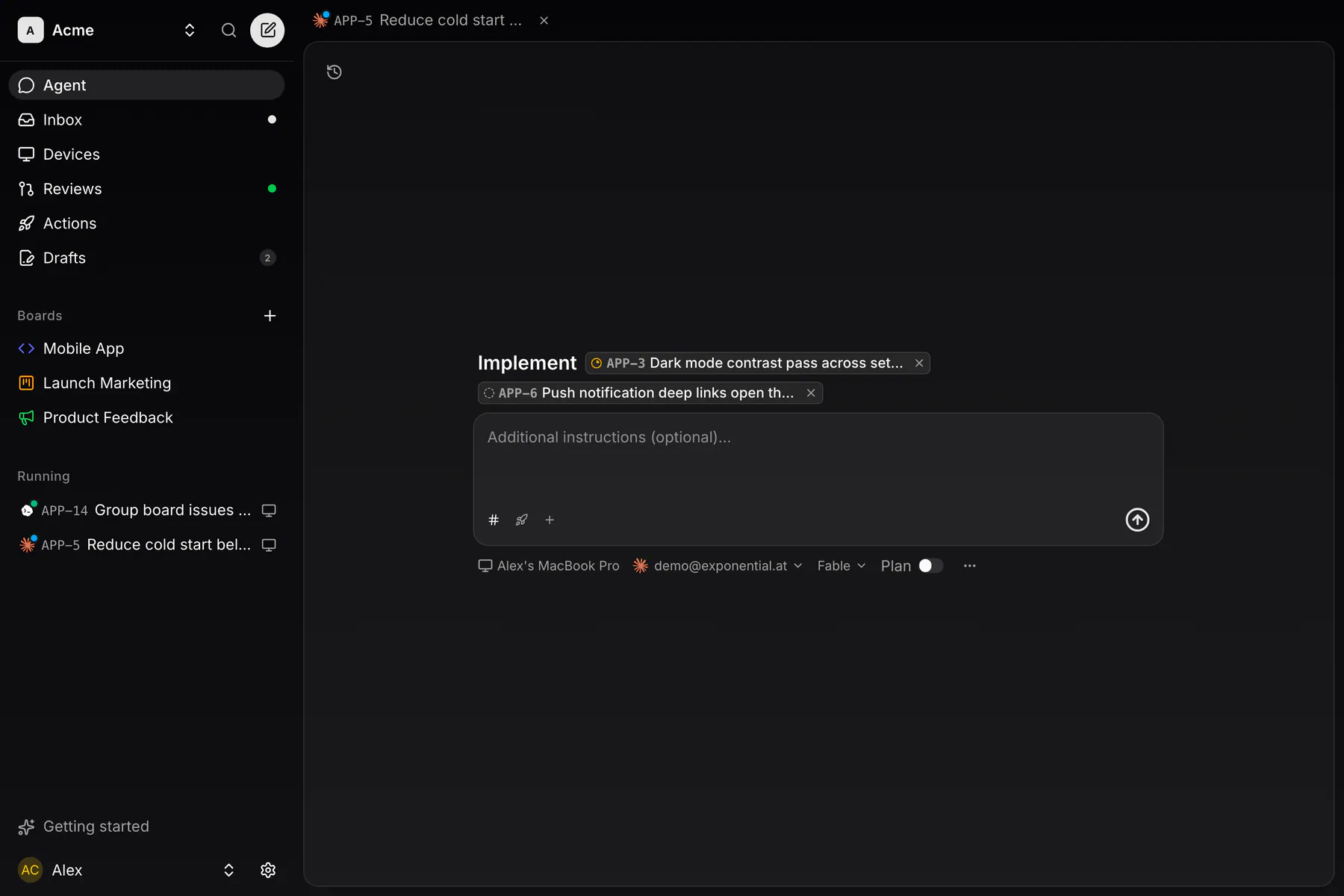
Hit Start coding on any issue, or check several on the board and start them together. Every play button lands on the same place — the Agent page composer, with what you picked already chipped above the prompt:
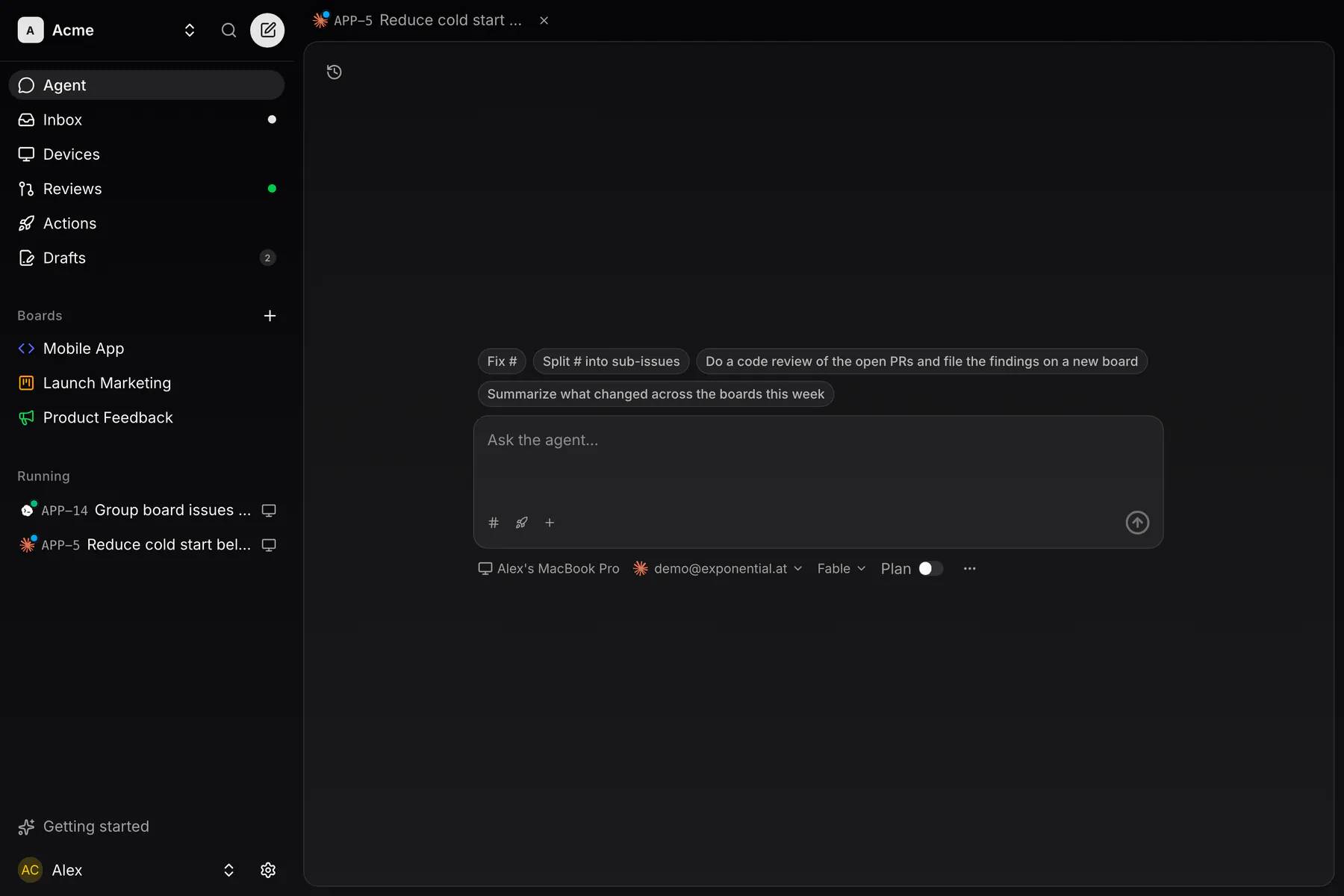
- One subject, as chips over the prompt: issue chips (one issue codes that issue, two or more make a batch) or one action chip that runs one of the team's saved prompts. Picking the other kind swaps it — nothing is ever disabled. The # button opens the issue picker, ▶ the action picker.
- Free text in the box. With no subject it is the prompt of a plain chat session; beside a subject it is additional instructions. A Repository pick appears for a subject-less chat: pick one and it gets its own worktree, leave it out and it runs in a scratch directory with the Exponential MCP tools wired up either way. Images can be dropped or pasted in.
- An agent picker on the muted options line under the box: Claude Code or Codex. Only the agents the chosen machine reports are offered.
- A Device picker when you have more than one machine — your desktops and any CLI daemon, plus servers teammates shared with the team. One is your Default device and is preselected.
- Model and Effort pickers, per agent. Each agent offers its own models and its own effort vocabulary (Codex calls it Reasoning). Effort is fixed at launch; a Claude run can still change model from its composer.
- Ultracode, Claude only. Lets the run organize its own workflow; it takes over the effort setting.
- Plan mode, Claude and Codex. It proposes a plan you approve before it touches code, as a card in the session view — on every client, including your phone.
- Resume previous session, offered when the issue already has a recorded run to continue. It relaunches that exact transcript, with the agent it was recorded on.
- An Account picker on machines that hold more than one login for the agent, and an MCP servers picker once your team has any: pick which of them this run gets. See MCP servers.
Defaults are per agent, not per mode: single and batch runs prefill identically. Out of the box that's plan mode on and ultracode off. Change them under Settings → This device → Agents on the desktop, per agent, and every future run starts from your values. Permissions are not a setting: every run hands Claude and Codex a full bypass, and plan mode still asks you to approve the plan before any code is written. Every run uses exactly one repository.
Which branch a run starts from is resolved, never assumed: a board's own Branch pin wins, then the team's per-repository default-branch override, then GitHub's. A batch whose issues would resolve to different base branches is refused.
Single runs
One issue, one branch, one PR:
- The app creates a git worktree on a fresh
exp/<IDENTIFIER>branch. Your main checkout stays untouched, and several runs can work the same repo side by side. - The run opens as a session, seeded with the issue. On web and desktop it is the Run face of the issue's tab. With plan mode on it plans first; you approve before implementation starts.
- It implements, commits, pushes, and opens the pull request itself via the built-in MCP tool. The server opens the PR through the GitHub App and links it to the issue.
- The issue flips to In Review and merging the PR completes it to Done. Both targets are configurable in Team settings → Statuses.
Batch runs
Chip two or more issues in the composer (or use the board's bulk-select bar) and you get a batch run: one agent session given all the issues at once, working on one shared branch (exp/batch-<id>), ending in one combined PR linked to every issue in the batch. Merging that PR completes them all.
The batch is deliberately loose. The issues go over as a list and the agent organizes the work. Overlapping issues are fine, and often the point.
When to batch
- Related fixes: five small bugs in one screen make one coherent session and one reviewable PR.
- Sweeping changes: a rename, an API migration, a copy sweep across the codebase, filed as several issues.
- Feedback triage: bulk-select a morning's worth of widget reports and clear them in one run.
A run starts runs for the follow-ups it files. Work the agent finds out of scope becomes a new issue, and once its own pull request is open it starts a run for each follow-up it can verify on the same machine, built on its own branch. Those runs nest under it in every sessions list. Merge such a tree root first: the root's merge retargets its children onto the default branch. Say no follow-up runs in the prompt to turn it off.
Watch & steer
A run is a session with one address, /t/<team>/sessions/<id>. What it shows is not a log or a terminal — it is the agent's own narration, the tool calls it makes (collapsed into lines like “Ran 4 commands · edited 2 files”, with an edit's diff foldable under its row), and the cards it wants answered.
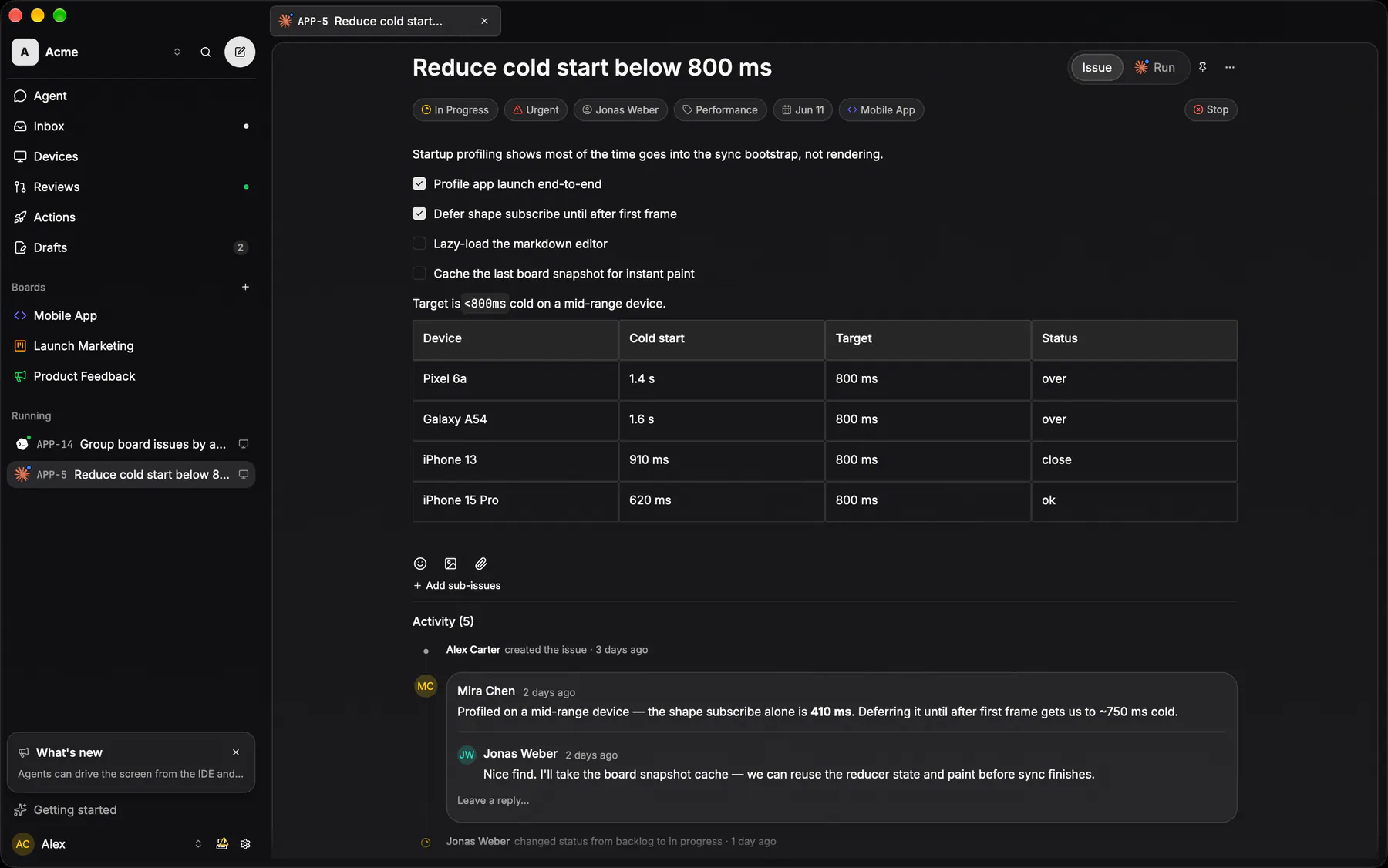
On web and desktop, work lives in tabs along the top of the window. An issue and its run share one tab, and the Issue | Run switch in its header flips between them. Both faces use the same header: the title, then the issue's properties in a tray, with Stop or Resume at its end. A run with no issue (a chat, an action, a batch) gets a tab of its own.
Every live run of yours gets a tab automatically, grouped by agent at the front of the strip. A live run's tab can't be closed. Once the run ends it becomes an ordinary tab you close yourself. The same runs are listed on the Agent page, Running then Past. A row carries no buttons: it opens the run, and merging lives on the run's Changes face. On a phone the Agent page is where you open them. Live sessions are yours alone — teammates see the status badge on the issue, never the transcript.
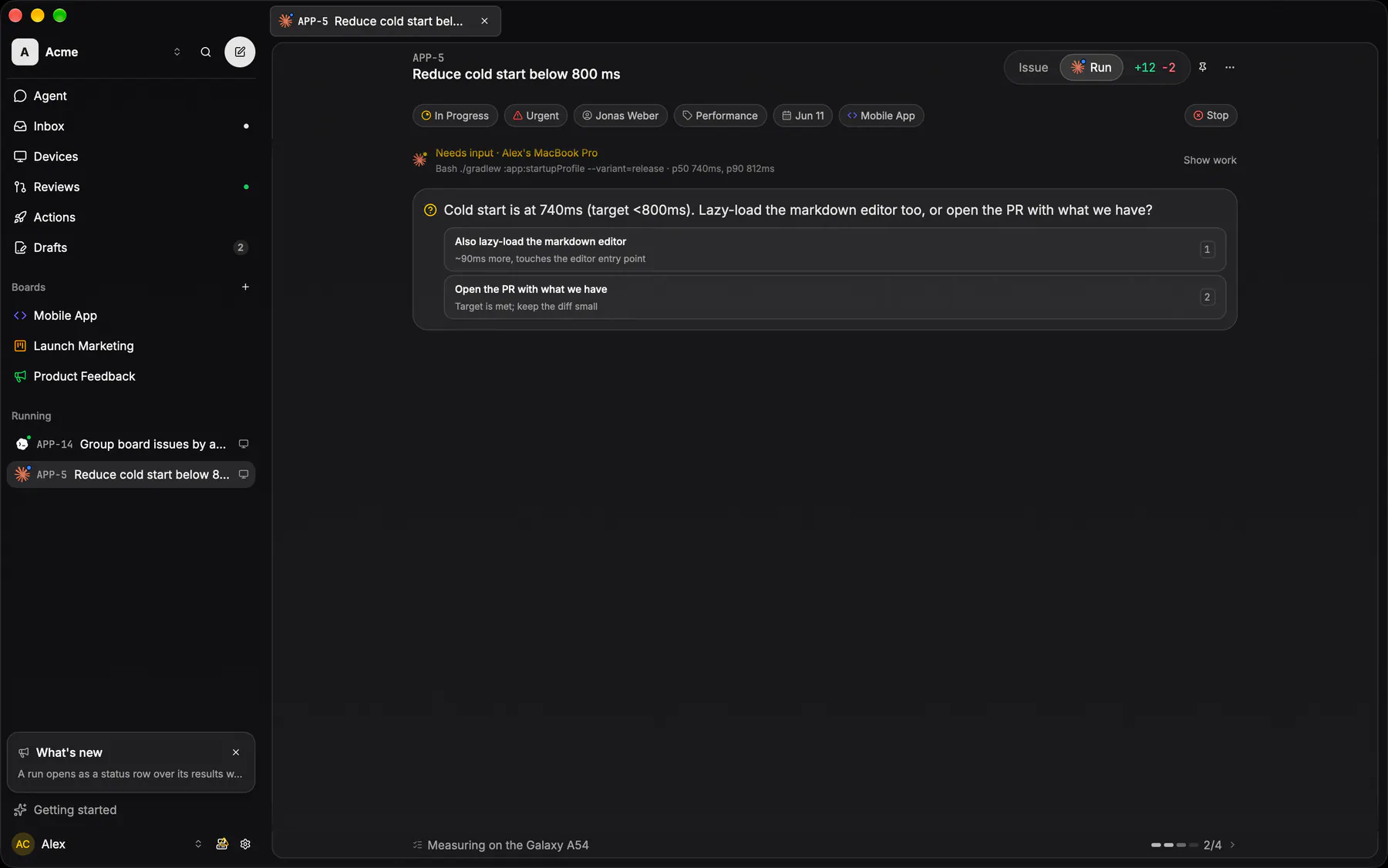
What the composer takes:
- Plain text, and up to four images per message (attach, or paste and drop on the web) — on every kind of run, chat and action runs included.
- Agent slash commands, from a
/typeahead filtered to what the session's agent supports. Two are Exponential's own, on every agent:/compact(“Compact the conversation context”, optionally with instructions) and/clear(“Start a fresh conversation (context is discarded)”, behind a confirm; the worktree files are kept). The rest of the list is whatever the agent itself advertises for the run, so it differs between Claude and Codex. While the agent folds its context the view shows a Compacting context… strip, and a Context compacted marker stays in the transcript. - Answers to the agent's questions and its plan card. The options are numbered buttons — keys
1to9andEnterpick them — and typing your own answer into the composer answers the card just as well. The plan always shows in full; question cards and your own messages fold behind Show more.
The composer is one box with its send button inside. The row under it says whether the run is in Plan mode, holds the attach button, and names the model the run is on. A Claude run can switch model right there, which sends /model to the agent; Codex shows its model as a label. On web and desktop the row ends in a context ring that fills as the context window does. Click it for the run's usage: its context, the account's limits, and the machine's other accounts you can switch the run to.
Everything else about the run is picked when you start it: the agent, its effort and plan mode. A live session is steered with words.
The transcript keeps the whole run, not the last few hundred events. Each client renders a window of it and pulls the rest in as you scroll to the top; past what your client already holds, Load earlier fetches the next page from the machine that ran the session — the full transcript lives on that machine, never on our servers. Past transcripts stay there for as long as that machine's Settings → Sessions allows (unlimited by default). The Agent page shows your 20 most recent runs; when an issue has more than one run of yours, its Run toggle reads Runs and the run's page carries a picker that opens any of them.
A session whose host machine goes offline reads Paused rather than spinning; the agent picks up where it left off when the machine comes back. One that hits its agent's usage limit is marked Rate limited with the time it resets, instead of going quiet — the run stays live and steerable, it simply cannot make a call until then. You can see how much is left on any machine under Accounts on the Devices page.
A run you started makes no report. When the agent finishes its turn it waits for your next reply, in the desktop app and on a daemon alike, with no idle timeout. End it yourself with Stop. On web and desktop it sits in the run's header (in the property tray for an issue run); on a phone it is in the top bar. Once a run has ended, Resume takes its place and relaunches it.
Runs a trigger started are the ones that end themselves: the agent closes the run when its work is done, and the action's Runs keeps them.
Chat
Not every question is an issue. Agent in the sidebar on web and desktop, and the chat button beside the phone's tab bar, open the Agent page. With nothing chipped, its composer starts a conversation with your agent that is bound to no issue and needs no repository. It runs on one of your machines like any other session, with the Exponential tools wired up, so it can read and write the tracker while you talk to it. Your runs are listed under the prompt, running first, then past. Open an ended one to read it back, or to Resume it if its machine still can.
Review & merge
You never have to leave the IDE to land the work:
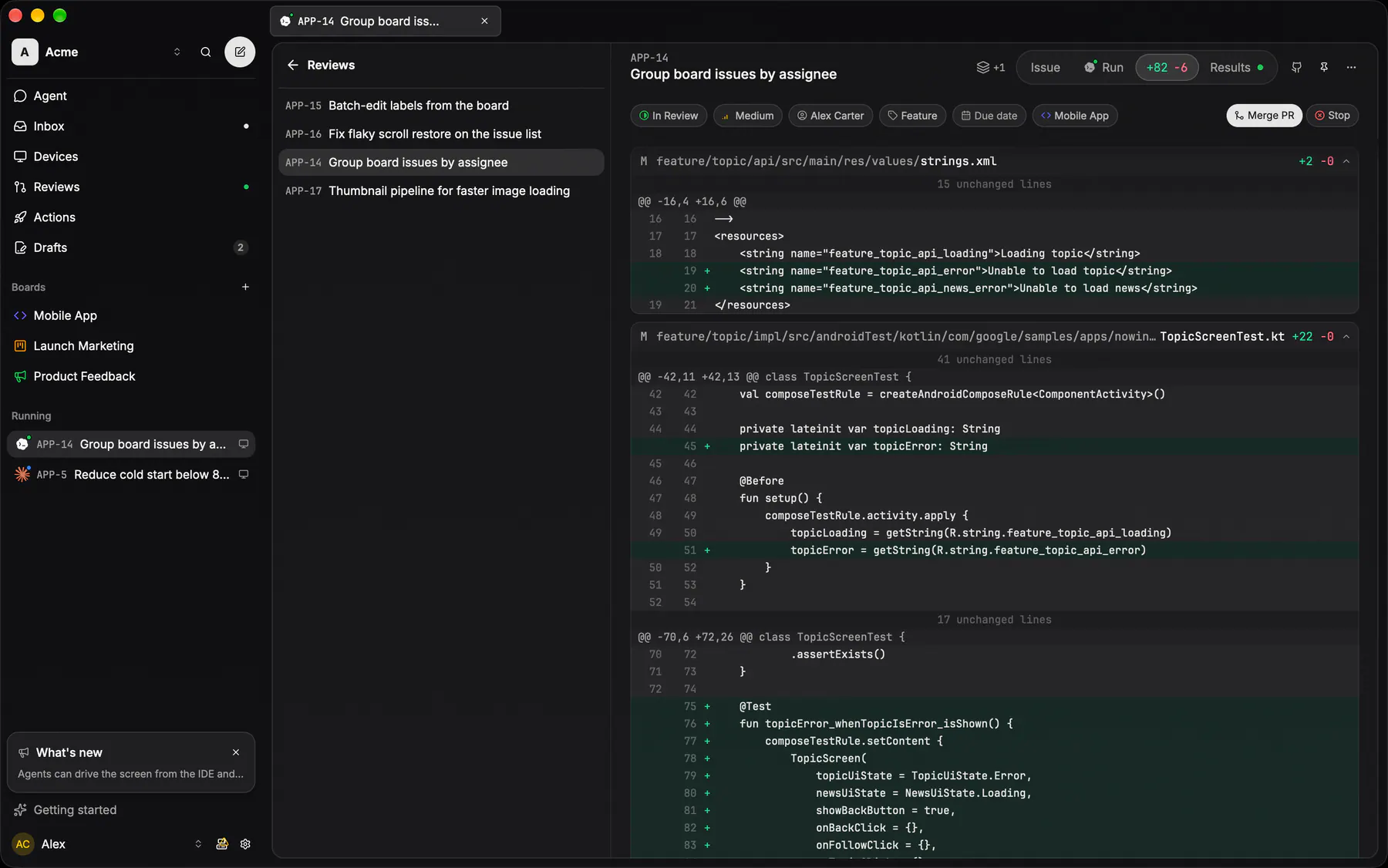
- A run's changes are a full-page face of its tab. Once the run has edited files, its header switch gains a +N -M segment that opens the diff in place of the transcript. A diff card in the transcript opens the same page, scoped to that turn. Merge PR sits in the header once the pull request is open.
- The Reviews list in the rail collects the team's open PRs, across every board. Open one, read the diff, and merge from right there. The linked issues complete on merge. When a merge fails on conflicts, Fix conflicts replaces Merge in place and hands the PR to the Fix merge conflicts builtin. An issue whose own merge hits a conflict offers the same swap in its header, beside Retry merge.
- Pull requests opened by an action or chat run, with no issue attached, get their own Agent runs group in Reviews, with the action name, branch and PR number, and count toward the Reviews badge. The run itself merges too, from the Merge button on its Changes face; the rows in the Agent lists only open the run.
Merging a PR also ends the live coding sessions on its issues — except the session that merged its own pull request, which always keeps running. Teams that would rather keep every session alive turn the switch off under Team settings → Statuses.
Prefer GitHub's review UI? The PR is a completely normal pull request. Review and merge it there and the issue completes just the same.
The git IDE
Around the coding flow sits a git IDE. Open a board and its repository clones automatically. That clone is the trunk, kept level with the default branch by a background sync. Coding runs work in their own worktrees, off to the side.
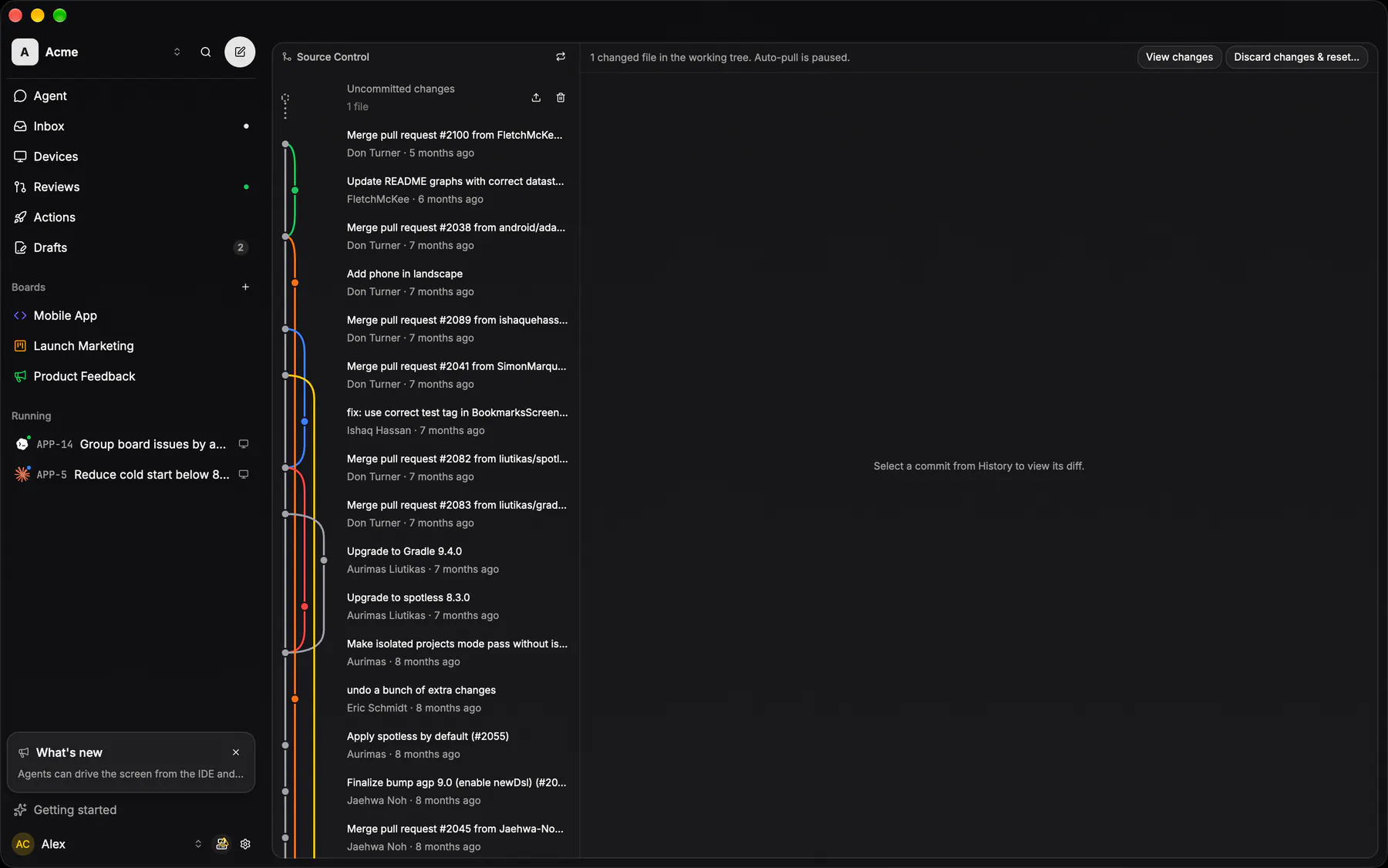
The editor itself is view-only by design: changes arrive as pull requests, not local commits. The Files rail browses the trunk, and Source Control walks the commit history and renders any commit's diff side-by-side. It holds the two write affordances, both behind a confirm: Commit & push local changes for the odd tweak that shouldn't wait for a PR, and Discard changes & reset… as the escape hatch back to the remote.
The history is drawn as a real graph: a kept exp/… PR branch renders as its own lane and curves back into the trunk at the squash commit that landed it. The Files tree has a worktree switcher on top, so you can browse a run's branch — its tree, its git status and its diffs — without leaving the trunk view, and Settings → This device → Worktrees prunes the ones whose work has landed.
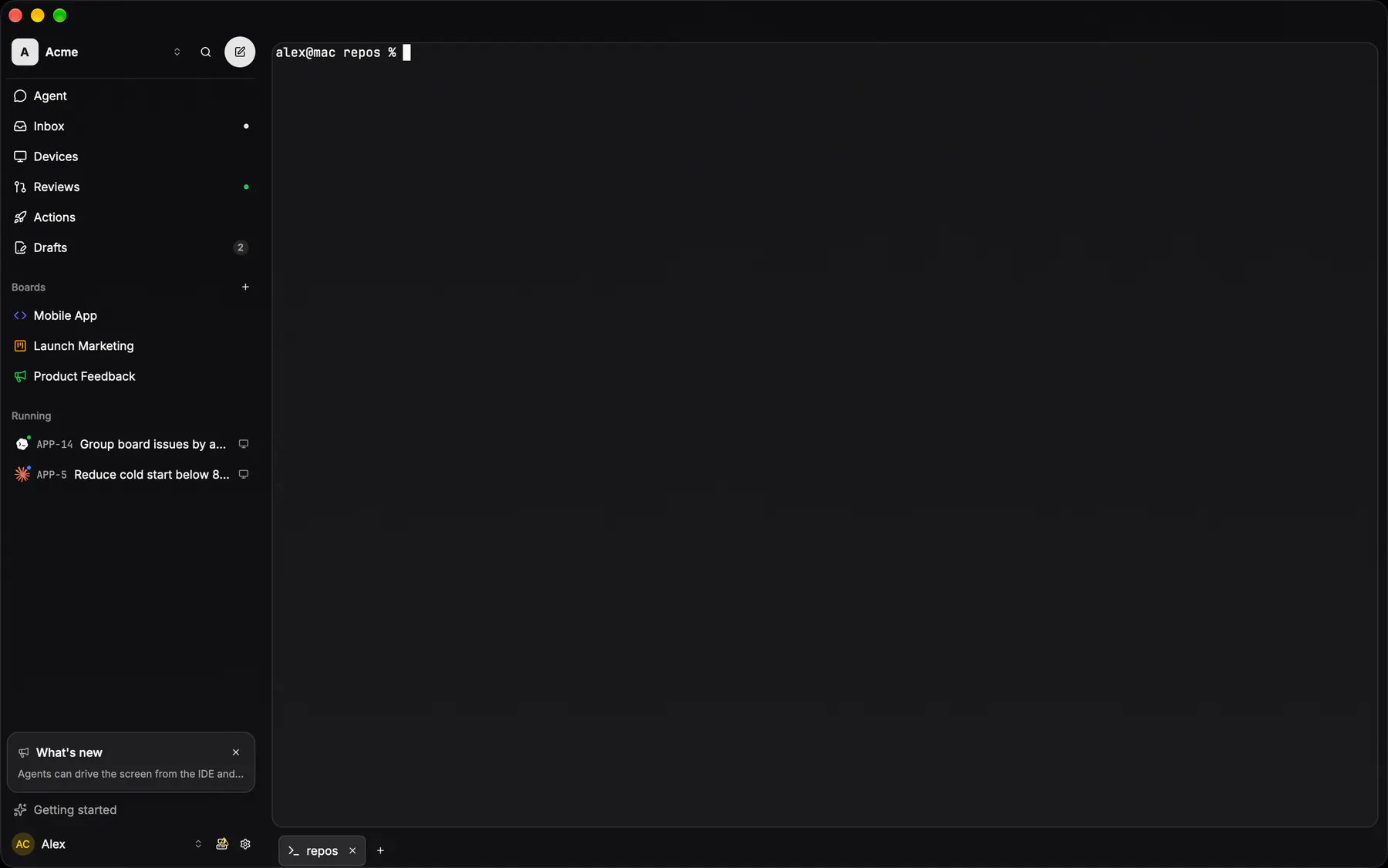
There is a terminal too, and it is an ordinary one: a plain shell on the trunk clone, opened with the button beside your account in the rail or ⌘T. It fills the working area the way an issue or a run does, and its tabs sit in the bar along the bottom of the window — a bar that is not there at all until you open one. Agents never run in it: a coding session talks to the agent directly, and the terminal is yours.